
Download FirstRow Sport App – Free Live Sports Streaming, TV Channels, Secure Updates
Overview of FirstRow Sport App
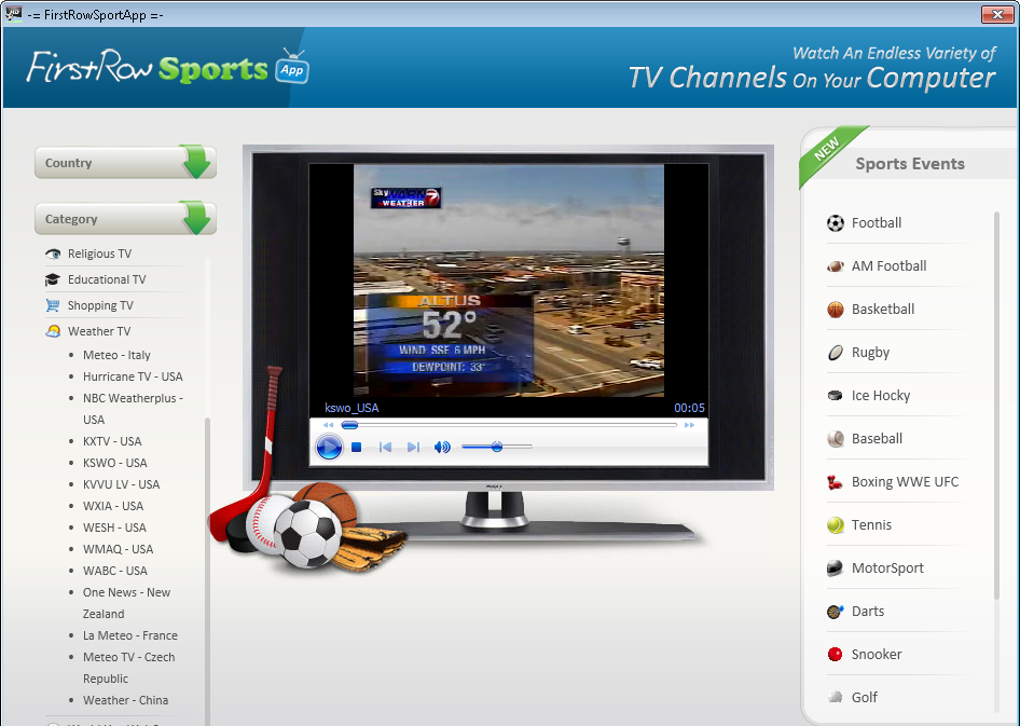
FirstRow Sport App is a versatile desktop client that aggregates live‑streaming sports events and general TV channels into a single, easy‑to‑navigate interface. Designed for sports enthusiasts who prefer watching matches online rather than through traditional cable, the app pulls streams from the FirstRow website and presents them in a well‑ordered layout. Users can explore a broad catalogue that spans soccer, football, basketball, rugby, ice hockey, baseball, and many more disciplines, plus a surprising 4,500+ non‑sport TV channels sorted by country, news, film, and other categories. The schedule is dynamically updated, meaning each day's sporting events appear on the left side of the window while country‑ or category‑based TV listings sit on the right. When you click a stream, FirstRow redirects you to its web player inside the app, delivering a mostly high‑definition viewing experience. While the service is free, it is ad‑supported, and occasional stream failures can happen—especially with the general TV lineup. Overall, FirstRow Sport App offers a polished, ad‑driven alternative for anyone looking to catch live sports without a cable subscription.
Key Features of FirstRow Sport App
- Extensive Sports Catalogue: Live streams for soccer, NFL, NBA, rugby, ice hockey, baseball, and more, with multiple sources per event.
- 4,500+ General TV Channels: Access to news, movies, entertainment, and regional channels, all grouped by country or genre.
- Dynamic Schedule: Daily event list updates automatically, ensuring you never miss a match.
- Multiple Stream Options: When a primary link fails, alternate streams are readily available.
- Polished Interface: Split‑pane layout separates sports events from general TV, making navigation intuitive.
- Cross‑Platform Compatibility: Available for Windows, macOS, Linux, Android, and iOS via the desktop client or web wrapper.
- Free & Secure: No subscription fee; the app is signed with a digital certificate to prevent tampering.
- Regular Updates: Stream sources are refreshed as events approach, improving reliability.
- Ad‑Supported Model: Free usage with short pre‑stream ads that fund the service.
Installation, Compatibility, and How to Use FirstRow Sport App
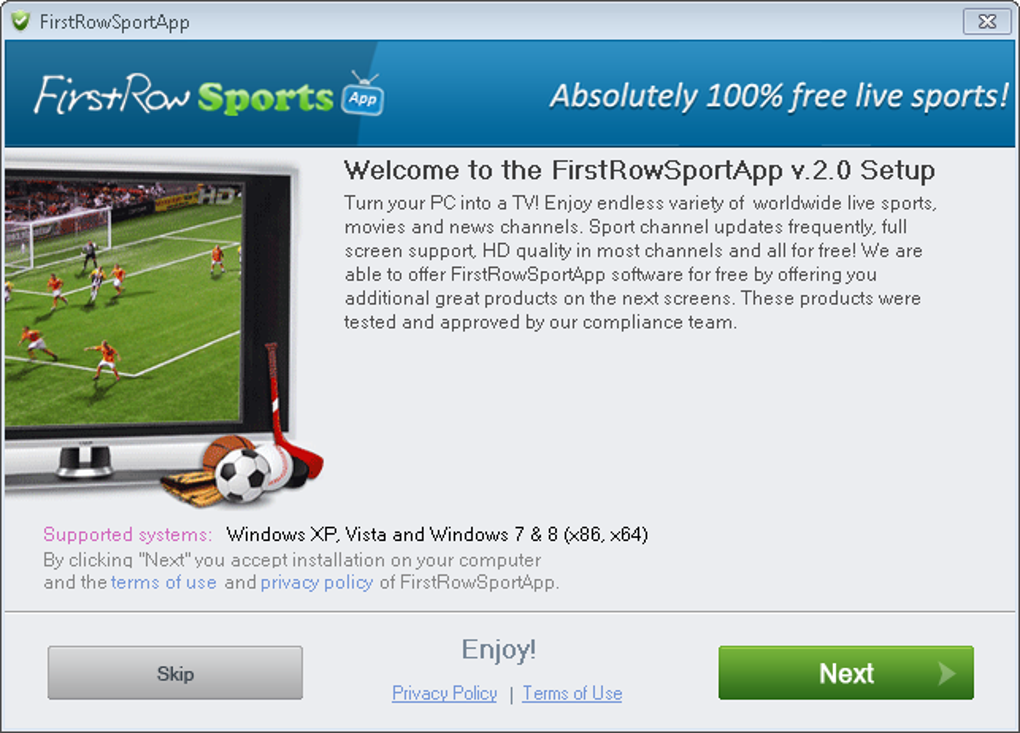
Installing FirstRow Sport App is straightforward. Begin by visiting the official FirstRow website or a trusted download portal. The installer is provided as a single executable for Windows (EXE) and as a DMG package for macOS. Linux users can download an AppImage or use a snap package, while Android and iOS devices can access a lightweight wrapper through the respective app stores.
Step‑by‑Step Installation
- Download the installer that matches your operating system.
- Run the file and follow the on‑screen prompts (accept the license agreement, choose an install folder, and let the wizard finish).
- After installation, launch the app. The first run may ask for permission to open network connections—grant these to allow streaming.
- Sign in with a free FirstRow account (optional but recommended for personalized schedules).
Supported Operating Systems
The application runs on Windows 10/11 (64‑bit), macOS 10.15 and later, major Linux distributions (Ubuntu, Fedora, Debian) via AppImage or Snap, Android 8.0 and up, and iOS 13 and later.
Using the App Effectively
Once opened, the left pane displays today’s sports events sorted by sport type (e.g., Soccer → Premier League, NBA → Eastern Conference). Click an event to expand a list of available streams. Selecting a stream opens an embedded browser window that redirects to the FirstRow web player; the ad will play briefly before the live feed starts. For general TV, navigate the right pane, choose a country or category, and click a channel name. If a stream fails, a red “Retry” button appears, letting you select an alternate source from the same list. The app also includes a “Favorites” star icon, enabling you to bookmark favorite teams or channels for quick access later.
Keeping the App Updated
FirstRow Sport App checks for updates automatically on launch. A small notification appears when a newer version is available, and you can install the update with a single click. Regular updates improve stream reliability, add new channels, and patch any security issues.
Pros and Cons – What Works and What Doesn’t
FirstRow Sport App Review
After testing FirstRow Sport App across Windows and Android platforms, the overall experience is positive for sports fans, though the general TV side shows room for improvement. Below is a balanced breakdown of strengths and weaknesses.
Pros
- Free access to a massive library of live sports and TV channels.
- Clean, split‑pane UI that makes it easy to locate events quickly.
- Multiple stream sources per event increase the chance of a working link.
- Regular source updates keep popular matches reliable.
- Cross‑platform support ensures you can watch on desktop or mobile.
- Secure installer with digital signature reduces malware risk.
Cons
- Pre‑stream ads can be intrusive, especially when you just want to jump into a match.
- Some general TV channels fail to load or have low bitrate streams.
- Occasional broken links require manual retry, which can be frustrating during live events.
- No built‑in DVR or replay functionality; you must rely on external tools.
- The app’s occasional UI lag on low‑end devices.
Frequently Asked Questions & Final Verdict
Is FirstRow Sport App really free?
Yes, the app is completely free to download and use. It is supported by short advertisements that play before each stream.
Which operating systems are supported?
FirstRow Sport App runs on Windows 10/11, macOS 10.15+, major Linux distributions (via AppImage or Snap), Android 8.0+, and iOS 13+.
Do I need a FirstRow account to watch streams?
No, you can watch streams without an account, but creating a free account lets you save favorite teams, receive personalized notifications, and sync your schedule across devices.
How reliable are the streams?
Sports streams are generally reliable and often have multiple backup links. General TV channels can be hit‑or‑miss, with occasional low‑quality or non‑working links.
Can I record or replay live matches?
The app does not include a built‑in DVR feature. To record streams you’ll need third‑party screen‑recording software.
Conclusion – Should You Download FirstRow Sport App?
FirstRow Sport App delivers a solid, free solution for fans who want to stream live sports and explore a massive library of TV channels without a cable contract. Its intuitive split‑pane design, frequent source updates, and cross‑platform availability make it a compelling choice for casual viewers and dedicated fans alike. While the ad interruptions and occasional broken TV streams are drawbacks, the overall value—especially for sports—remains high. If you’re comfortable with a few ads and occasional retries, the app is a worthwhile addition to your digital entertainment toolkit.
Ready to start watching? Click the download button below, install the app on your preferred device, and enjoy live sports in seconds. Remember to bookmark your favorite teams and enable notifications for real‑time alerts on upcoming matches.
Download FirstRow Sport App Now






